March 12, 2026· 14 min 14 min read
AI for CPA Firms: Where to Start When You're Drowning in Manual Work
A practical guide to AI automation for CPA firms. Covers document intake, month-end close, client reporting -- with real costs, timelines, and what to automate first.
Joseph Musembi · Founder, Raison Consult
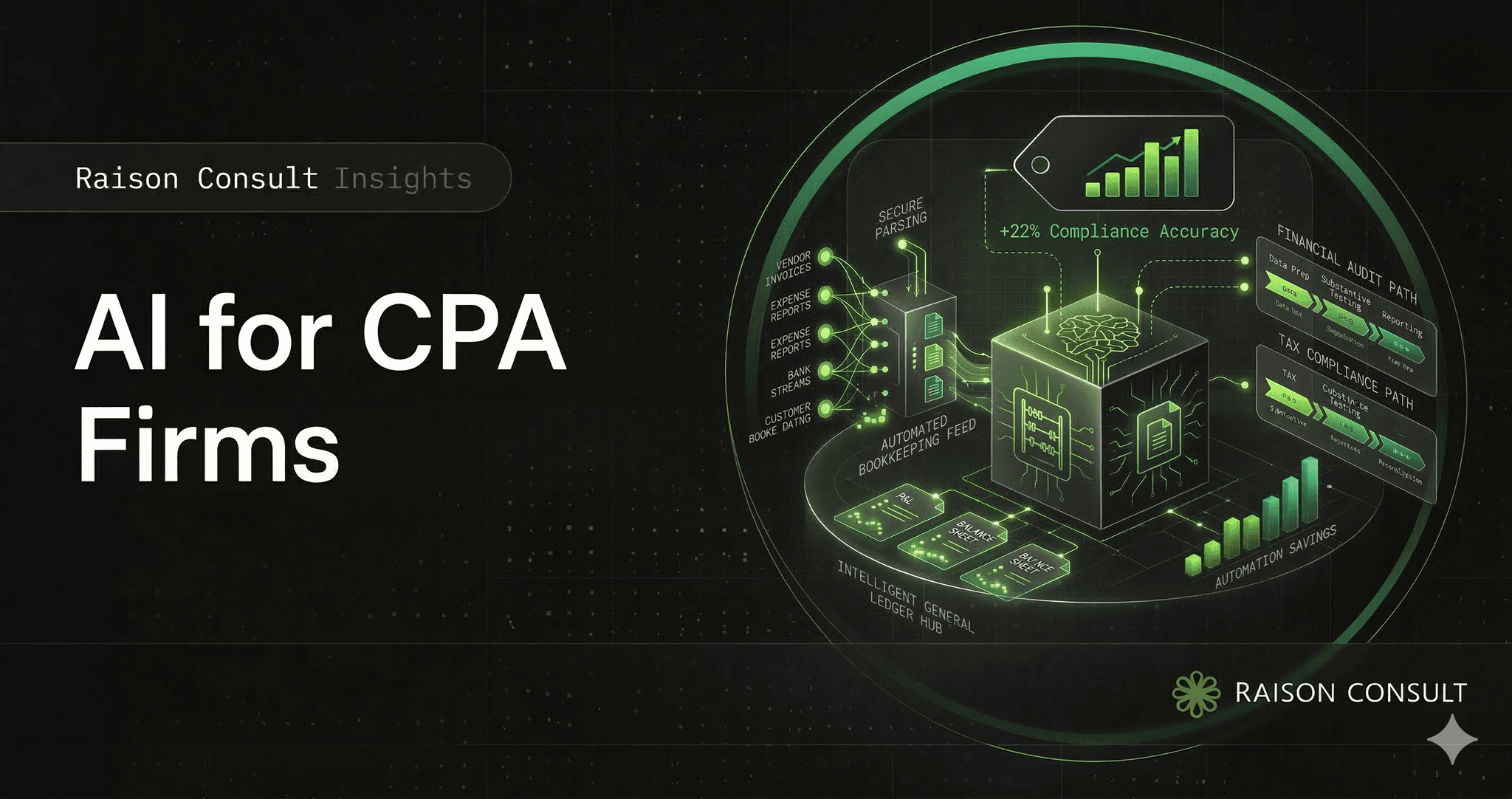
AI for CPA firms: where to start when you're drowning in manual work
Your staff spends 40% of their time on data entry. Not analysis. Not advisory. Not the work clients actually pay for. Data entry. That's roughly 16 hours per week per accountant -- 832 hours a year -- spent typing numbers from one system into another.
Meanwhile, 300,000 accountants left the profession in two years. The pipeline isn't recovering: accounting degrees just hit a 20-year low, CPA exam candidates have dropped 30% since the mid-2010s, and 75% of working CPAs are Baby Boomers approaching retirement.
So you're losing people, you can't replace them, and the ones who stay are burning through categorization and reconciliation work that software should have handled years ago. The math doesn't work anymore.
This is the guide I wish existed when CPA firm owners started asking me where to begin with AI. Not a sales pitch for some magic tool. Not "AI will transform your firm." Just a practical breakdown of what AI can actually automate in a CPA firm today, what it costs, how long it takes, and what to tackle first.
The accounting industry's AI problem isn't adoption -- it's implementation
Here's a stat that seems contradictory: 98% of accounting firms now use AI daily, according to Karbon's 2026 State of AI in Accounting report. And yet only 6% have achieved what anyone would call advanced implementation.
That's not contradictory at all. It just means most firms are using ChatGPT to draft emails and summarize documents. That's fine. That's not automation.
Automation means your bank transactions are categorized without someone touching them. It means your month-end close runs in 3 days instead of 12. It means client documents get ingested, extracted, and routed to the right chart of accounts without a staff accountant spending their Tuesday afternoon on it.
The AICPA & CIMA's 2026 survey confirms the gap: while 76% of firms plan to invest in AI, only 6% have actually implemented it in core operations. 38% of executives haven't even started considering it. And only 8% of finance professionals feel "very well prepared" for AI deployment.
The firms in that 6% are the ones seeing real results. Everyone else is observing.
What AI can actually automate in a CPA firm
I'm going to be specific here because vague promises about "AI transforming accounting" help nobody. Here's what AI handles well in a CPA firm today, and what it doesn't.
1. Document intake and data extraction
This is the single best place to start. It's the highest-volume, lowest-judgment task in most firms.
What it does: Clients upload bank statements, receipts, invoices, and 1099s. AI extracts the relevant data (vendor, amount, date, category), matches it to your chart of accounts, and flags anything that doesn't look right.
What it replaces: The staff accountant who spends Monday morning downloading statements from 15 different bank portals, then keying amounts into QuickBooks line by line.
Real numbers:
| Metric | Manual process | With AI |
|---|---|---|
| Invoice processing cost | $12.88 per invoice | $2.78 per invoice |
| Error rate | 3-5% | Under 0.5% |
| Processing time per cycle | 10-15 days | 2-3 days |
| Staff time (monthly) | 38 hours/person | ~10 hours/person |
Tools that do this today: Botkeeper (from $149/month), Docyt (from $50/month), Booke AI, Dext (receipt capture + categorization). All integrate with QuickBooks and/or Xero.
The catch: AI categorization works well for recurring transactions with established patterns. New vendors, unusual transactions, and edge cases still need human review. The good tools flag these for you rather than guessing.
2. Month-end close
Month-end close is where the pain concentrates. It's a predictable cycle of gathering data, reconciling accounts, posting journal entries, and generating reports -- and most of it is mechanical.
What AI automates:
- Bank reconciliation: AI matches 92-96% of transactions to GL entries without human intervention
- Standard journal entries: accruals, deferrals, reclassifications posted automatically
- Variance analysis: actuals compared to budget with anomalies flagged
- Missing transaction alerts: identifies gaps before you do
The time impact: Organizations implementing AI close automation cut their close time from 10-12 days to 3 days -- a 75% reduction. Top-performing firms (top 25%) now close in 3.1 days versus the industry average of 8.3 days.
I want to be clear about what "3-day close" means in practice. It doesn't mean AI does everything and your controller watches Netflix. It means AI handles the 70% of close tasks that are execution -- pulling data, matching transactions, posting standard entries -- and your team focuses on the 30% that requires judgment: reviewing anomalies, making accounting decisions, and signing off.
What it costs: Dedicated close automation tools (ChatFin, FloQast, BlackLine) range from $500 to $3,000/month depending on entity count and complexity. The ROI math is straightforward: if your controller spends 80 hours on close and AI cuts that to 20 hours, you've freed 60 hours of a $60-$80/hour employee. That's $3,600-$4,800/month in recovered capacity.
3. Transaction categorization
This sounds like document intake, but it's a separate workflow. Once data is in your system, AI applies rules and learns from your past categorization decisions to sort transactions into the right accounts.
What the numbers look like: Docyt's AI auto-categorizes about 80% of transactions accurately on the first pass. Their generative AI layer handles most of the remaining 20%. QuickBooks Online Advanced has built-in categorization, but it's basic -- it works for simple businesses, not for CPA firms managing 100 different clients with different charts of accounts.
Where it matters most: Firms doing heavy bookkeeping (not just tax prep). If your firm manages monthly bookkeeping for 50+ clients, transaction categorization is where you're burning the most labor. Roughly 15,000 CPA firms fall into this category.
4. Client communication and reporting
This is newer and less mature than document intake or categorization, but it's getting useful.
What AI handles:
- Drafting client follow-up emails for missing documents ("We're still waiting for your Q4 bank statements")
- Generating summary reports from financial data
- Creating standardized client deliverables from templates
- Answering common client questions through AI chatbots on your firm's website
What it doesn't handle: Anything requiring professional judgment. Tax advice. Financial planning recommendations. Audit opinions. AI is generating the wrapper -- the email, the formatting, the boilerplate -- not the substance.
5. Tax preparation support
Tax is the most complex workflow in accounting, and AI's role here is still narrow. But it's growing.
What AI does today:
- Research assistance: AI searches tax code databases faster than manual lookup
- Data organization: pulling client data into tax prep software formats
- Review assistance: flagging potential errors or missing information before partner review
- Prior-year comparison: identifying significant year-over-year changes that need explanation
What it doesn't do: Prepare tax returns from start to finish. Make judgment calls on aggressive vs. conservative positions. Handle unusual tax situations. Thomson Reuters and Wolters Kluwer are investing heavily here, but their AI is incremental -- small improvements inside existing products, not a replacement for the preparer.
What to automate first (the priority framework)
Not everything should get automated at once. Here's how to think about sequencing.
Start with high-volume, low-judgment tasks
The ideal first AI project in a CPA firm has three characteristics:
- High volume -- it happens hundreds or thousands of times per month
- Low judgment -- the decision rules are consistent and documentable
- Measurable outcome -- you can count hours saved or errors reduced
Document intake and transaction categorization meet all three criteria. Month-end close automation meets them if your firm handles bookkeeping clients. Tax prep support meets them only for the research and data organization parts.
The "where does it hurt?" approach
I use a simple framework with firms that aren't sure where to start:
| Question | If the answer is high, automate this |
|---|---|
| How many hours/week does your team spend entering data from documents into QBO/Xero? | Document intake + extraction |
| How many days does your month-end close take? | Close automation |
| How many clients need monthly bookkeeping? | Transaction categorization |
| How many follow-up emails does your team send chasing missing documents? | Client communication automation |
| How much time does your team spend on tax research? | Tax research AI tools |
Pick the one that gets the loudest groan from your staff. That's your starting point.
A realistic 90-day implementation plan
This is what a practical AI rollout looks like for a 5-20 person CPA firm. Not a strategy deck. Not a 12-month roadmap. An actual plan.
Weeks 1-2: Assessment and tool selection
- Audit your firm's workflows: where is time actually going? (Track it for one week. You'll be surprised.)
- Evaluate 2-3 tools for your highest-pain workflow
- Most tools offer free trials -- use them with real data, not demo data
Weeks 3-6: First deployment
- Deploy one AI tool for one workflow (document intake is the usual starting point)
- Start with 5-10 clients, not your entire book
- Assign one team member as the AI point person
- Track: hours spent before vs. after, error rates, client impact
Weeks 7-10: Expand and optimize
- Roll out to remaining clients based on what you learned
- Adjust categorization rules and review thresholds
- Start training remaining staff
Weeks 11-13: Second workflow
- Add the next automation layer (usually month-end close or client communication)
- By this point your team has enough AI experience to move faster
The Karbon report found that firms with formal AI training and documented strategy see the biggest returns -- average time savings of 60 minutes per day per employee, roughly 21 hours per month. Firms that just hand staff a tool without training see a fraction of that.
What AI costs for a CPA firm
Let me give you actual numbers, not ranges so wide they're useless.
Tool costs (monthly, per firm)
| Category | Tool examples | Monthly cost | What you get |
|---|---|---|---|
| Document intake | Botkeeper, Dext, Booke AI | $50-$350/month | Receipt capture, data extraction, QBO/Xero sync |
| Bookkeeping automation | Docyt, Botkeeper | $150-$1,500/month | Transaction categorization, reconciliation, reporting |
| Close automation | ChatFin, FloQast, BlackLine | $500-$3,000/month | Automated reconciliation, journal entries, close management |
| Practice management (with AI) | Karbon, Financial Cents | $59-$100/user/month | Workflow management, email triage, task automation |
| Tax research AI | Thomson Reuters, Wolters Kluwer | $500-$2,000/user/year | AI-powered tax code research, co-pilot features |
Implementation consulting costs
If you want someone to help you implement (rather than doing it yourself), expect:
| Approach | Cost | What you get |
|---|---|---|
| DIY with vendor support | $0 (included in tool subscription) | Self-setup, vendor onboarding calls, documentation |
| Boutique AI consultant | $5,000-$15,000 one-time + $500-$2,000/month ongoing | Tool selection, integration, staff training, optimization |
| Big Four / mid-tier consulting | $200,000-$800,000+ | Enterprise transformation program (overkill for firms under 50 people) |
For firms with 5-20 staff, the sweet spot is usually $150-$500/month in tools plus $5,000-$15,000 in implementation help if you need it. That's a rounding error compared to what you're spending on staff time doing data entry.
The competitive landscape: what's out there
I've mapped the accounting AI market, and the picture is clear: there are tools for specific tasks, but nobody has connected the full workflow.
The platform giants (they own the ecosystem)
| Platform | AI capabilities | Limitation |
|---|---|---|
| Intuit (QuickBooks) | Basic categorization, anomaly detection, cash flow forecasting | Surface-level AI. Built for business owners, not CPA firms managing 100+ clients |
| Thomson Reuters | AI-powered tax research, co-pilot assistants | Expensive ($500-$2,000/user/year). Closed ecosystem. Tax compliance focus, not workflow |
| Wolters Kluwer | AI-integrated tax and audit tools | Same issues as Thomson Reuters. Enterprise-focused |
| Xero | Bank reconciliation AI, invoice coding | Not designed for multi-client CPA workflows. Limited US market share |
AI-native tools (narrow but useful)
| Tool | What it does | Best for | Limitation |
|---|---|---|---|
| Botkeeper | AI + bookkeeping automation | Firms wanting to automate categorization and reconciliation | Bookkeeping only. No tax prep or full workflow coverage |
| Vic.ai | Invoice processing (99%+ accuracy on AP) | High-volume invoice processing | AP only. Enterprise pricing. Too narrow for small firms |
| Docyt | AI bookkeeping with real-time ledger | Multi-entity businesses, franchises | Not CPA-firm-specific. Limited tax prep features |
| Financial Cents | Workflow management for firms | Organizing work and tracking tasks | Not AI-native. Helps manage work, doesn't do it |
| Karbon | Practice management with AI features | Email triage, workflow automation | Management layer, not automation layer |
Nobody has built an affordable AI layer that connects your entire CPA firm workflow -- from document intake through categorization, reconciliation, and client delivery. The Big Three own the platforms but their AI is incremental. The AI-native tools solve one piece. The consulting firms charge six figures for strategy.
This is part of what we're building at Raison Consult -- implementation-first AI consulting for CPA firms at price points that make sense for 5-50 person firms.
The talent argument for AI
Forget efficiency for a minute. This is a staffing problem.
- 300,000+ accountants and auditors left the profession between 2019 and 2022 -- a 17% workforce reduction
- Accounting degrees hit a 20-year low in 2023-24: 55,152 combined bachelor's and master's degrees, down roughly 30% from mid-2010s peaks
- CPA exam candidates dropped from 42,626 in 2023 to 28,082 in 2024
- Finance roles requiring CPA credentials now take 73 days to fill -- 41% longer than non-CPA roles
- Tax prep prices have risen over 40% in two years, and 80% of firms plan further increases in 2026
You can't hire your way out of this. There aren't enough people.
But here's the part that gets interesting: 91% of accounting professionals believe new graduates are more likely to join firms actively using AI. The firms that adopt AI get something beyond efficiency -- they become the firms people actually want to work at.
A 25-year-old accounting graduate has two job offers. One firm does everything in spreadsheets and paper. The other uses AI to handle the grunt work and trains new hires on advisory from day one. Which firm do you think they pick?
Common mistakes firms make with AI
I've seen enough CPA firms try AI to know where the predictable failures happen.
Buying a tool without changing the workflow. AI categorization doesn't help if your staff still manually reviews every single transaction. You have to actually trust the tool for the cases where it's confident (95%+ match) and only review the flagged exceptions. Otherwise you've just added a step.
Starting with tax. Tax is the hardest workflow to automate because it requires the most professional judgment. Start with bookkeeping, document intake, or close automation -- workflows where the rules are clearer and the wins are faster.
Treating AI like a project, not a capability. The firms that succeed treat AI as an ongoing investment, not a one-time implementation. Karbon's data shows that only 21% of firms have a documented AI strategy, and fewer than half invest in training. The ones that do both outperform significantly.
Ignoring data security. 83% of firms cite data security as their top AI concern, up 7% year-over-year. This is a legitimate issue. Before deploying any AI tool, verify: Where is client data stored? Is the connection to QBO/Xero encrypted? Does the vendor have SOC 2 compliance? Can client data be used to train the vendor's models? Get clear answers in writing.
Waiting for the perfect tool. The perfect tool that covers every CPA workflow end-to-end doesn't exist yet. You don't need it. You need one tool that saves 15 hours a week on one workflow. Start there. The rest follows.
How to evaluate AI tools for your firm
Skip the demo videos. Here's what to actually test:
Test with your real data. Every AI tool looks great on a demo with clean sample data. Upload your messiest client's bank statement and see what happens. That's the real test.
Check the QBO/Xero integration depth. "Integrates with QuickBooks" can mean anything from "exports a CSV" to "syncs bidirectionally in real time." Ask which API endpoints they use. If the answer is vague, the integration is probably thin.
Ask about accuracy on first-time vendors. AI categorization works well for recurring vendors because it's seen them before. Ask what happens with a new vendor the system has never processed. Good tools flag it for review. Bad tools guess and get it wrong.
Calculate the real cost. Include tool subscription + implementation time + staff training + ongoing maintenance. Then compare to: current staff hours on the task × hourly cost. If the tool saves more than it costs within 3-6 months, it's worth it. If the payback is 18 months or longer, reconsider.
Check what happens to your data. Some AI tools use your client data to train their models. For a CPA firm handling confidential financial information, this is a non-starter for many clients. Get it in writing.
Frequently asked questions
What is AI automation for CPA firms?
AI automation for CPA firms uses artificial intelligence to handle repetitive accounting tasks -- document data extraction, transaction categorization, bank reconciliation, and client reporting. Instead of staff manually keying data from bank statements into QuickBooks, AI reads the documents, extracts the numbers, and categorizes them automatically. Firms using AI automation report average time savings of 60 minutes per day per employee, roughly 21 hours per month.
How much does AI cost for a small CPA firm?
For a 5-20 person firm, expect $150-$500/month in AI tool subscriptions for document intake and bookkeeping automation. Implementation consulting, if you want outside help, runs $5,000-$15,000 as a one-time cost. Most mid-sized businesses see cost reductions within the first year of AI adoption. The ROI math is simple: if AI saves a $30/hour staff accountant 15 hours per week, that's $1,800/month in recovered capacity against $300/month in tool costs.
Where should a CPA firm start with AI?
Start with document intake and data extraction. It's the highest-volume, lowest-judgment task in most firms, and the technology is mature. Upload client bank statements, receipts, and invoices -- AI extracts the data and categorizes transactions automatically. This one workflow can recover 10-15 hours per week per staff accountant. After that, move to month-end close automation, then client communication.
Will AI replace accountants?
No. AI replaces the manual, repetitive parts of accounting -- data entry, categorization, reconciliation. It doesn't replace professional judgment: tax planning, audit opinions, financial strategy, client advisory. What it does is shift the job from execution to oversight and advice. 82% of professionals report AI positively impacts their work, and firms using AI become more attractive to new graduates who don't want to spend their career doing data entry.
How long does it take to implement AI in a CPA firm?
A single AI tool deployment (e.g., document intake automation) typically takes 3-6 weeks from selection to full rollout. Start with 5-10 clients, validate the results, then expand. A more comprehensive implementation covering document intake, close automation, and client reporting takes 8-13 weeks. Firms with documented AI strategy and formal training see the fastest and largest results.
What are the best AI tools for CPA firms in 2026?
It depends on the workflow you're automating. For document intake: Botkeeper (from $149/month), Dext, Booke AI. For bookkeeping automation: Docyt (from $50/month), Botkeeper. For close automation: ChatFin, FloQast, BlackLine. For practice management: Karbon (from $59/user/month), Financial Cents. For tax research: Thomson Reuters and Wolters Kluwer have AI-powered research tools. No single tool covers the full CPA workflow yet. Most firms use 2-3 tools together.
Last updated: March 4, 2026. We update this guide as the AI accounting landscape evolves.
Sources
Data and statistics in this guide are drawn from the following reports and publications:
- Karbon -- State of AI in Accounting 2026. Survey of nearly 600 accounting professionals. AI adoption rates, time savings, training impact, and talent implications.
- Eagle Rock CFO -- The Accounting Talent Crisis 2026. Workforce data: 300,000+ departures, degree pipeline decline, CPA exam candidate drop, retirement wave, and hiring timelines.
- AICPA & CIMA -- Business Experimentation with Gen AI (2026). Survey of 1,735 executives on AI adoption gaps, implementation barriers, and readiness metrics.
- CPA Practice Advisor -- Finance AI Automation Gap (2026). Report showing 76% plan AI investment but only 6% have advanced implementation.
- Scanny AI -- Accountants Spend 40% of Time on Data Entry. Manual data entry time analysis, financial cost per accountant, and error rate comparisons.
- ChatFin -- Close Process Automation (2026). Month-end close time reduction benchmarks and AI reconciliation accuracy data.
- MSBC Group -- Why Mid-Sized Companies Can't Ignore AI. Cost reduction outcomes for mid-sized businesses adopting AI.
- AICPA -- 2025 Trends Report. Accounting degree pipeline data and CPA exam candidate trends.
- Docyt Review -- AccountingAITools. AI transaction categorization accuracy rates and feature analysis.
About the author: Joseph Musembi is the founder of Raison Consult, an AI implementation consultancy focused on CPA firms, e-commerce, and legal services. We deploy AI automation in 4-8 weeks at price points built for firms with 5-50 staff -- not enterprise budgets. Book a free AI assessment to identify your firm's top 3 automation opportunities.
Related posts
E-commerce Revenue Leak Calculator: Find the Money Your Store Is Losing Every Month
Calculate how much revenue your e-commerce store leaks each month from cart abandonment, slow pages, poor support, and missed upsells. Includes formulas and benchmarks.
Mar 21, 2026
AI Cart Recovery vs Email Flows: What Actually Converts Better
AI cart recovery converts at 12.3% vs email's 3.3%. We break down the data, costs, and when to use each for abandoned cart recovery in e-commerce.
Mar 18, 2026
How to Evaluate an AI Consultant: The 10-Point Checklist
A practical 10-point checklist for evaluating AI consultants: specific questions to ask, red flags to spot, and data on why 80% of AI projects fail.
Mar 10, 2026